Client portal · included from Solo
Your clients follow, approve and ask. Without entering your workspace.
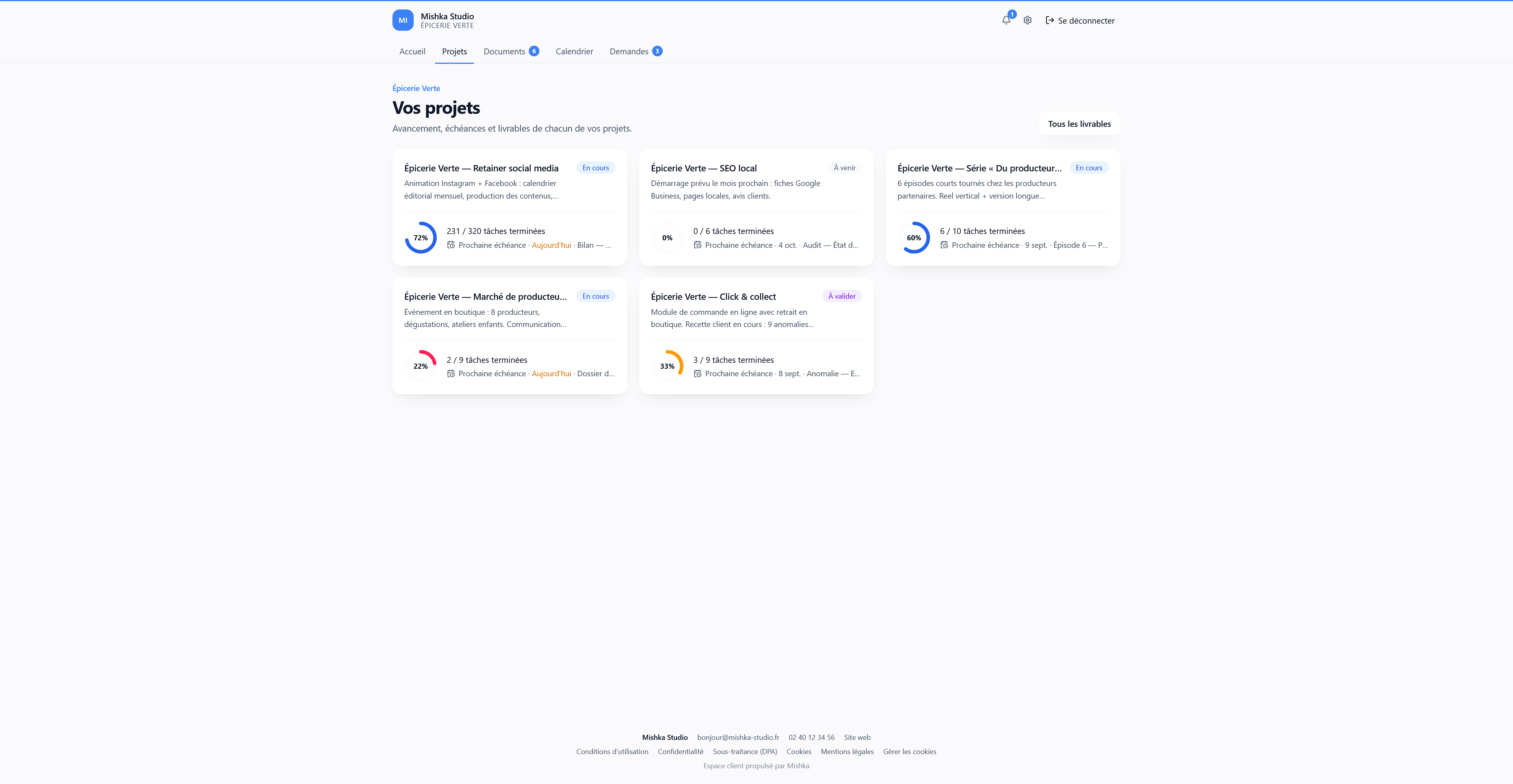
A dedicated space per client, opened with a magic link: project progress, deliverables to approve, published documents, calendar and a request thread. Unlimited client access, never billed. Included from Solo, in your colours from Team.
The portal, from the client’s side
Three moments, and never a client inside your internal tool.
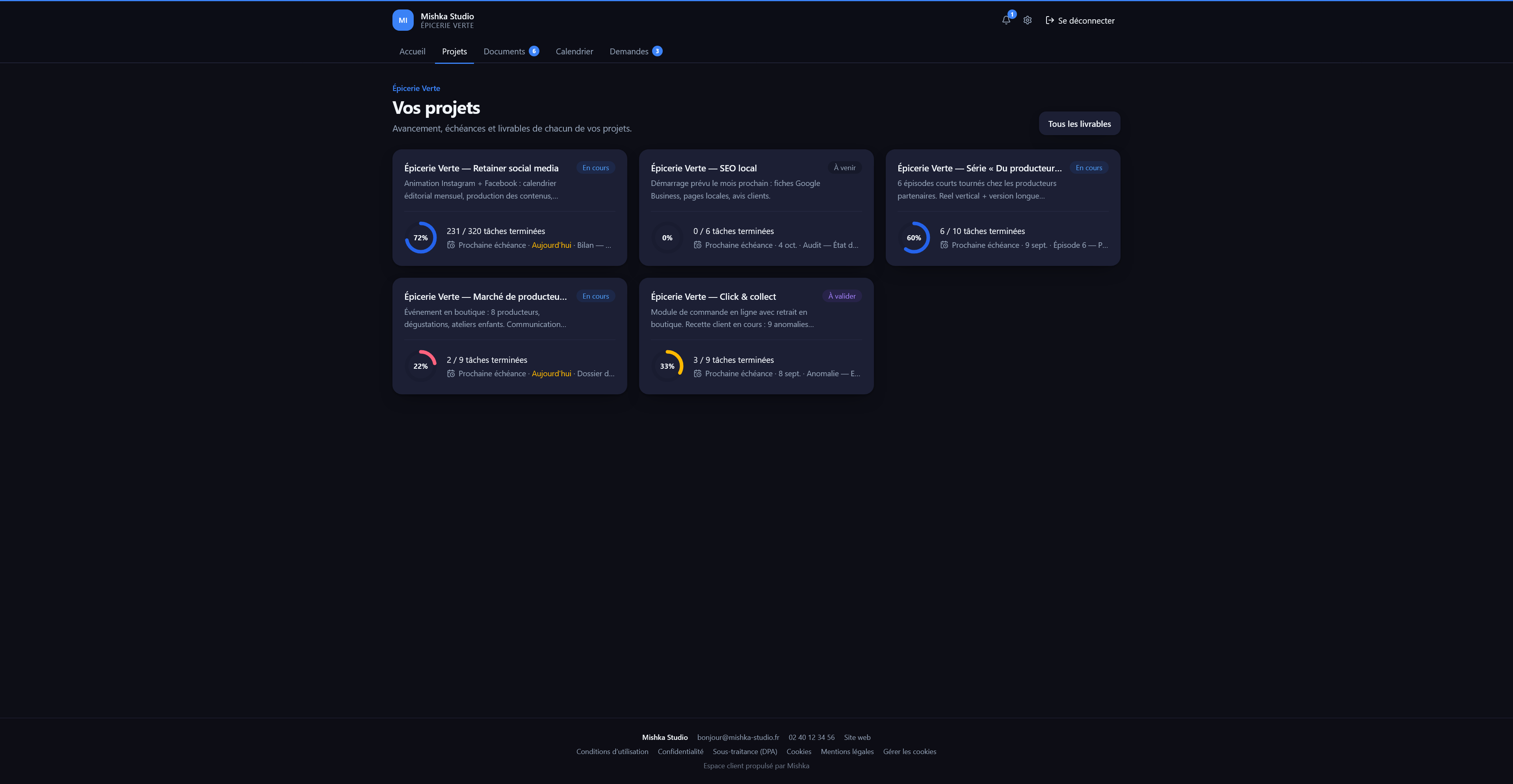
- usemishka.com/portal/projects
1
You publish
A deliverable, a document, a calendar: you choose, client by client, the visible modules and what each person can do.
- usemishka.com/portal/deliverables


2
The client decides
"Approve" or "Request changes", with a comment. The decision history stays visible on both sides.
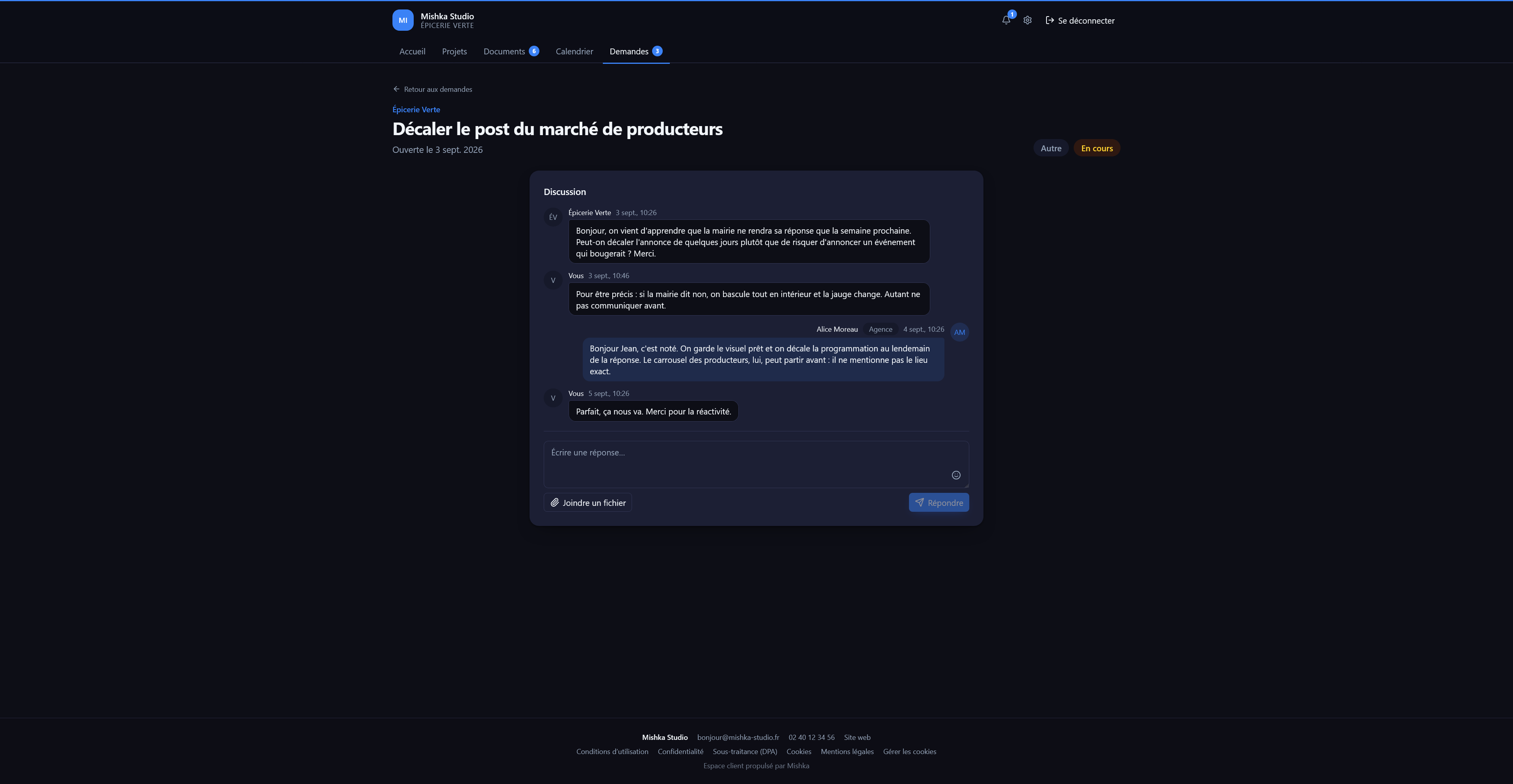
- usemishka.com/portal/requests
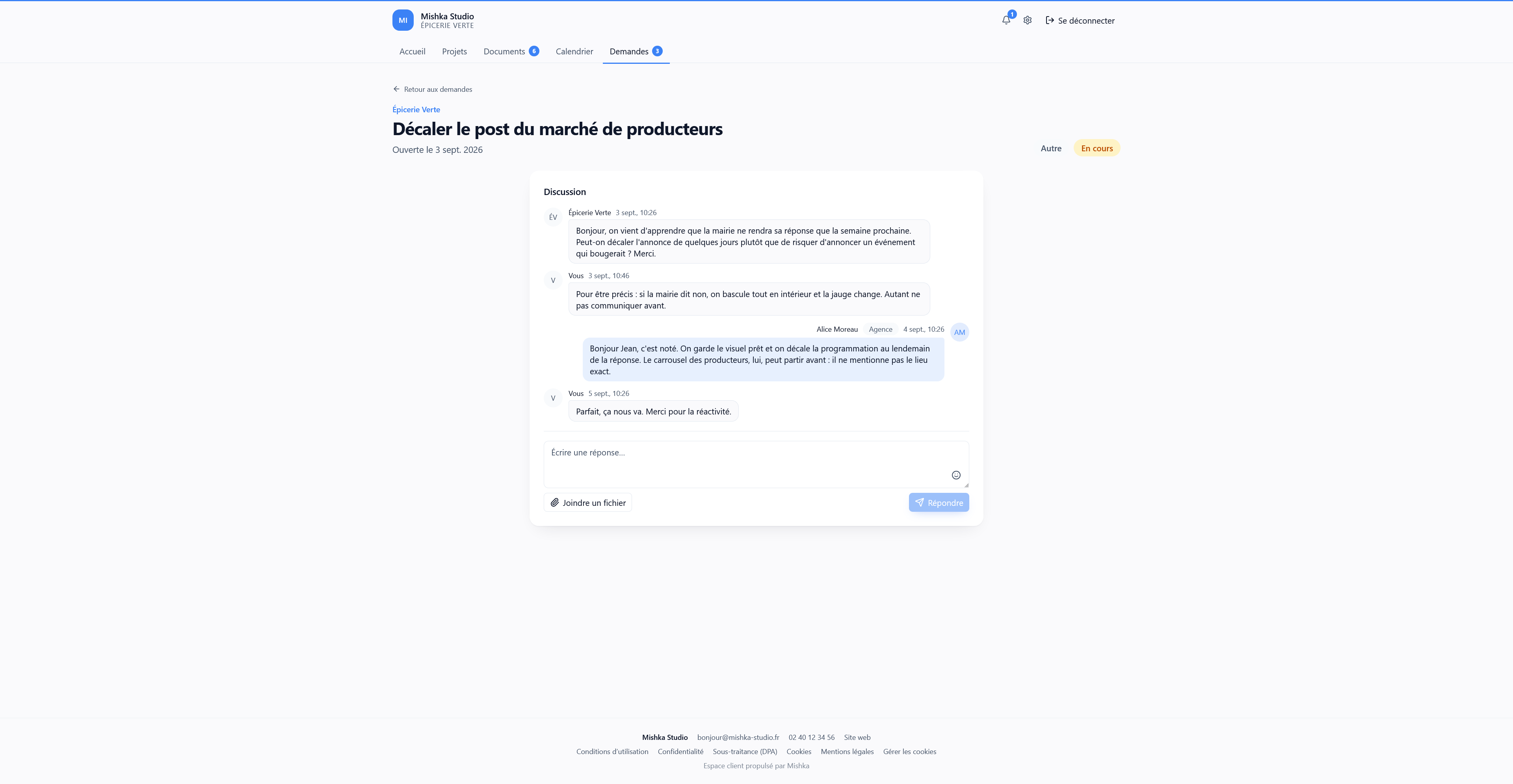
3
You get notified
The decision lands in your notifications; client requests open a thread you handle from Mishka, with open, in progress, resolved and closed states.


What you can open to them
- Projects & progress: their projects and how far along they are
- Deliverables & tasks: deliverable tasks, with approval if you enable it
- Documents & meeting notes: what you published, downloadable as PDF
- Editorial calendar: the publication schedule
- Attachments
- Requests: the thread to your agency
- Budget & time: hidden, or hours only, your choice
What they never see
- Your internal costs
- Your tracked time beyond the level you chose
- Your unpublished documents
- Your other clients
- Any module you did not enable
- Your internal workspace: they never set foot in it
Three roles, set contact by contact
Invitations go out to the client’s contacts. Each receives a sign-in link by email: no password to create or remember.
Read
They look, without acting.
Approval
They approve a deliverable or request changes, and take part in the exchanges.
Client adminfrom Studio
They manage access on their side.
In your colours from Team
Below that, the portal stays fully functional with the Mishka look.
- Display name, logo (PNG, JPG or WebP) and primary colour
- Live preview before saving
- One sign-in URL to share with your clients
- Settings apply to the portal of all your clients


Unlimited access, never billed
Invited contacts never use a seat. What changes with the plan is the number of clients, hence of portals.
| Plan | Portal | Max clients | Your colours |
|---|---|---|---|
| Free | No portal | ||
| Solo | 20 | ||
| Studio | 40 | ||
| Team | 75 | ||
| Agency | Unlimited |
What a client space costs elsewhere
For a 3-person agency whose clients must approve deliverables.
| Tool and plan | Client space | Approvals | Price per month (3 users) |
|---|---|---|---|
| MishkaStudio (3 seats included) | Portal included, unlimited client access | Included | €32.50yearly billing · unlimited clients included |
| AsanaAdvanced | Free guests, no dedicated space | Advanced plan required | ≈ €65 |
| Monday Work ManagementStandard | Guests: 4 = 1 billed seat | Not found | €36+ €12 per 4 guest clients |
| ClickUpBusiness | Guests under quota, white-label on Enterprise | Annotations only | ≈ €31 |
| TrelloPremium | Multi-board guest = paid seat | No | ≈ €26+ ≈ €9 per client on more than one board |
Public pricing consulted on September 2, 2026, yearly prices as displayed by each vendor; Mishka is shown on the same commitment (Studio, yearly billing). Asana, ClickUp and Trello price in US dollars: converted at the ECB reference rate of the same day (€1 = $1.1578) and rounded to the euro. Mishka is not the only tool with a client portal: the comparison covers general-purpose project management tools.
Frequently asked questions about the portal
What is the client portal and from which plan?
The client portal is an external space that you open to each of your clients. They follow their projects, deliverables, the documents you publish and the editorial calendar; they approve or request changes, comment and open requests. It is included from the Solo plan. Branding it with your agency colours and logo is available from the Team plan. One advanced option, the client-side admin role, requires the Studio plan.
How do my clients sign in to the portal?
With a magic link: your client enters their email address on the portal login page and receives a link that signs them in with one click. No password to create or remember. You choose, client by client, which sections are visible and each person’s access level (read-only or approval).
Are client portal accesses billed?
No. Portal accesses are unlimited and free: they never consume a seat of your subscription and are never billed. Only your team members count towards your plan seats.
Is the client portal available in English and in dark theme?
Yes. Each contact picks their language (French or English) and theme (light, dark, or follow their device) right from their portal settings. Their preferences are remembered and independent from your agency’s.
Open a portal for your first client.
Free plan without a credit card; portal included from Solo with a 14-day trial.